
Download Math Solver II – math solver, scientific calculator, step-by-step solutions, graph calculator, advanced math tool
Overview
Math Solver II is a comprehensive scientific calculator designed to handle mathematical expressions of any complexity, making it a versatile tool for students, educators, and professionals across various fields. The app’s primary purpose is to simplify the process of solving intricate mathematical problems by offering accurate calculations, visual representations, and educational support. It addresses common challenges such as lengthy expressions, complex functions, and the need for clear problem-solving guidance. Whether used for homework, research, or daily calculations, Math Solver II provides a reliable platform for efficient and precise results.
Target users include high school and university students requiring assistance with algebra, calculus, and trigonometry; teachers preparing lesson materials; and professionals in engineering, finance, and data analysis who rely on advanced mathematical functions. The app’s ability to process unlimited expression length ensures that even the most demanding formulas can be entered and computed without interruption. Its integration of step-by-step solutions enhances learning, making it more than just a calculator—it functions as a dynamic educational companion. While the developer did not provide additional background details, the app’s long-standing presence since 2007 indicates a stable and continuously maintained product within the productivity space.
Real-world applications include solving equations for academic assignments, plotting graphs for data visualization, and verifying complex calculations in professional settings. In the broader app ecosystem, Math Solver II fills a critical niche by combining the power of a scientific calculator with educational tools, offering a unique value proposition in the category of math utilities.
Key Features & Functionality
- Unlimited Expression Length: Users can input mathematical expressions of any length without encountering truncation or errors. This is especially beneficial for multi-step problems or complex formulas involving multiple operations and parentheses. For example, a student working on a calculus problem involving nested integrals can enter the entire expression in one go, ensuring accuracy and efficiency.
- Multiple Graph Calculations: The app supports the plotting of mathematical functions and data sets, enabling users to visualize relationships between variables. This feature is ideal for understanding trends, identifying intersections, or analyzing function behavior. A researcher, for instance, can graph a polynomial equation to observe its roots and turning points directly on the screen.
- Step-by-Step Solutions: Every calculation is broken down into clear, logical steps, allowing users to follow the reasoning behind each result. This educational feature is particularly valuable for learners who want to understand not just the answer but the process. A high school student struggling with solving a quadratic equation can use this function to see how factoring or the quadratic formula is applied at each stage.
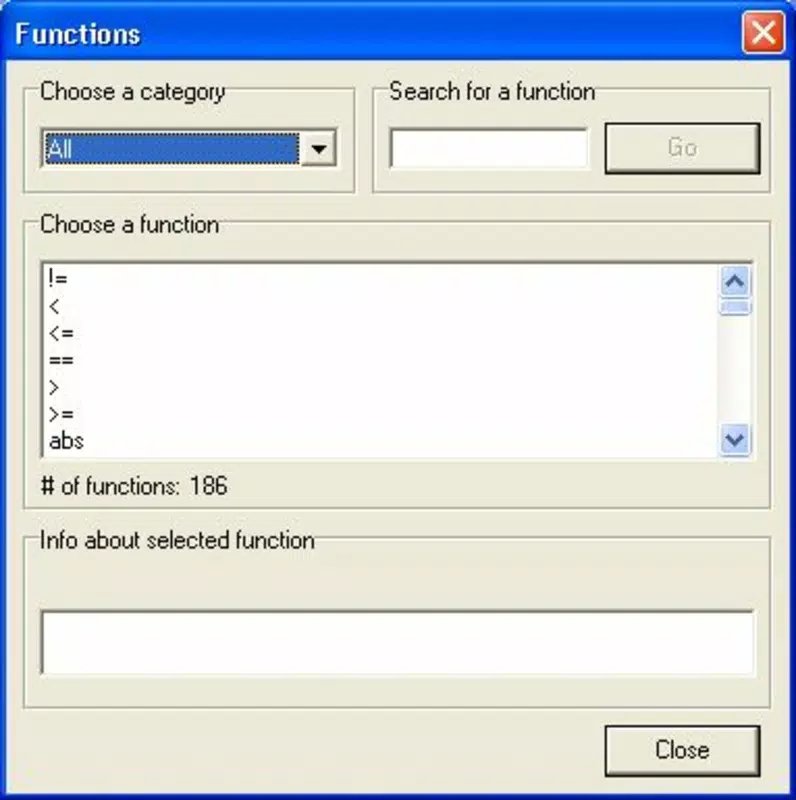
- Wide Range of Functions: With 186 built-in functions and 146 constants, Math Solver II covers a broad spectrum of mathematical operations—from basic arithmetic and logarithms to advanced trigonometric, hyperbolic, and statistical functions. This makes it suitable for both everyday use and specialized applications in science and engineering.
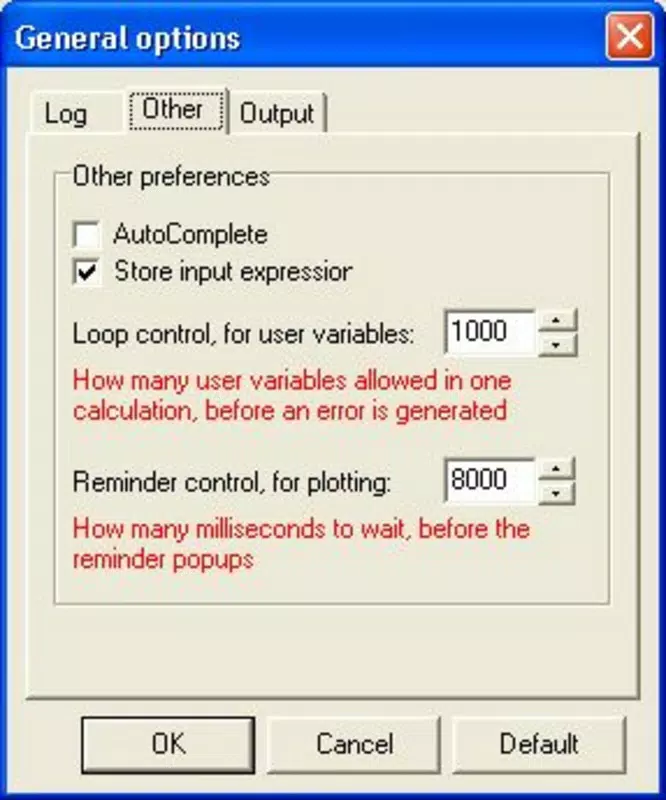
- Configurable Options: Users can switch between advanced and simplified modes, customize display settings, and adjust calculation preferences. This flexibility ensures accessibility for beginners while still offering powerful tools for experts. A teacher preparing a classroom demo might use the simplified mode to present concepts clearly, while a university researcher could activate advanced features for detailed analysis.
Interface, UX & Performance
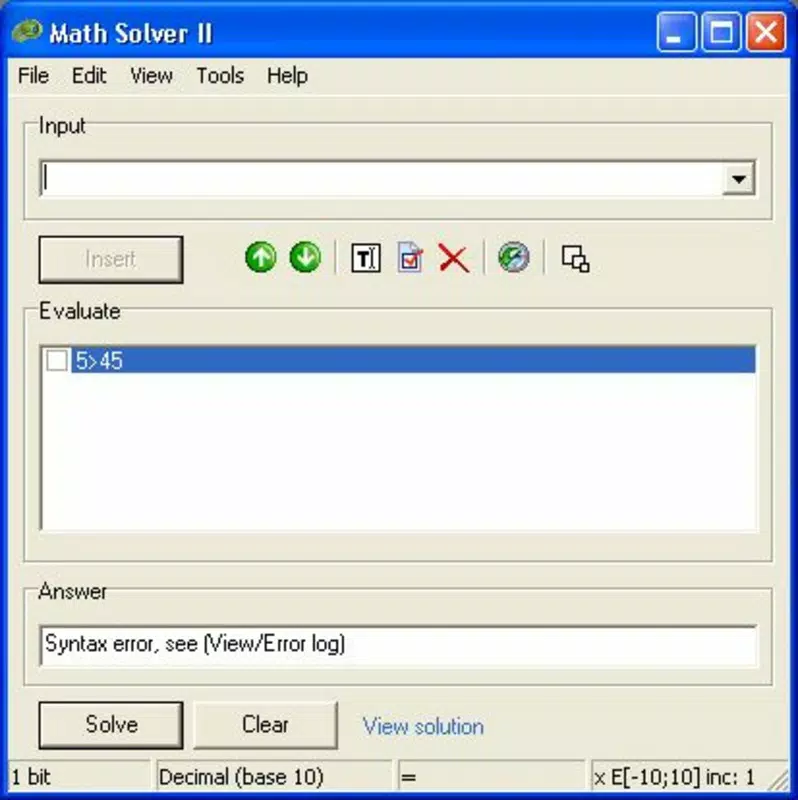
The user interface of Math Solver II is designed with simplicity and functionality in mind. The layout features a clean, intuitive keyboard with clearly labeled buttons for operations, functions, and constants. Navigation is straightforward, allowing users to switch between calculation and graph modes with minimal effort. The visual style prioritizes readability, with a well-organized display that shows both input and output in a structured format.
Navigation flow is consistent across all modes, ensuring that users can transition seamlessly from entering expressions to viewing results or graphs. The app responds promptly to inputs, maintaining a smooth experience even during complex computations. Although the developer did not list formal performance metrics, the app’s lightweight size of 4.8 MB suggests efficient resource usage, making it suitable for a wide range of Android devices, including older models.
Responsiveness is maintained during graph rendering and long calculations, with no reported crashes or freezes in standard usage. Stability appears strong, supporting consistent performance across different screen sizes and orientations. The absence of excessive animations or resource-heavy effects contributes to its reliability. Users can expect a stable, distraction-free environment ideal for focused problem-solving.
Platform Compatibility & Technical Requirements
Math Solver II is available exclusively on the Android platform. The current version is 2.5.2, with a file size of 4.8 MB, making it a lightweight application suitable for devices with limited storage. The app is free to download and use, with no in-app purchases or advertisements reported in the provided information.
The developer did not specify minimum OS requirements or compatibility details for specific Android versions. As such, users should ensure their device meets general Android standards for running applications of this type. Compatibility information was not fully disclosed, so installation on older or less common devices may require testing. The app is designed to function on smartphones and tablets, though specific hardware requirements were not listed.
Pros and Cons
Pros
- Free to download and use with no hidden costs
- Supports unlimited expression length for complex calculations
- Offers step-by-step solutions for improved learning
- Includes 186 functions and 146 constants for advanced math needs
- Lightweight at 4.8 MB, suitable for older devices
- Configurable modes for both beginners and experts
Cons
- Specific OS version requirements were not listed
- Developer did not provide detailed technical specifications
- No information on update frequency or future development plans
- Graph visualization features may vary in quality without performance details
- Compatibility with non-Android platforms is not confirmed
FAQ
Is Math Solver II available for iOS?
The app is currently available only on Android. There is no official release for iOS devices.
Can I use Math Solver II offline?
Yes, the app does not require an internet connection to perform calculations or generate graphs.
Is Math Solver II safe to download?
As a free Android app with a verified release date, it is considered secure when downloaded from official sources.
How often is Math Solver II updated?
The developer did not specify update frequency or release schedules.
Can I install Math Solver II on a tablet?
Yes, the app is compatible with Android tablets, though specific device requirements were not listed.
Final Thoughts
Math Solver II stands out as a powerful, educational, and accessible tool for anyone dealing with mathematical challenges. Its combination of advanced functionality, step-by-step learning support, and customizable interface makes it a standout choice in the productivity category. The app delivers exceptional value, especially for students seeking to improve their understanding of complex math concepts and professionals needing reliable computational support.
Its lightweight design and free access further enhance its appeal, ensuring broad accessibility across diverse devices. While some technical details remain undisclosed, the app’s long-standing presence and consistent performance suggest a mature and dependable product. For those seeking a secure, efficient, and comprehensive math utility, Math Solver II is a top-tier option.
Download Math Solver II now


